 Binary Cipher
Popup and dashboard offers mapped to AJO surfaces.
The app requests two distinct surfaces, one for a welcome popup and one for the home dashboard banner, so teams can validate multiple decision touchpoints in one run.

Aether Connect is a premium telecom-flavored mobile sandbox built to show Adobe Experience Platform and Adobe Journey Optimizer inside a believable product shell. It brings popup offers, dashboard propositions, identity stitching, Assurance validation, commerce events, support flows, eSIM activation, and webhook-style notifications into one reusable demo app.
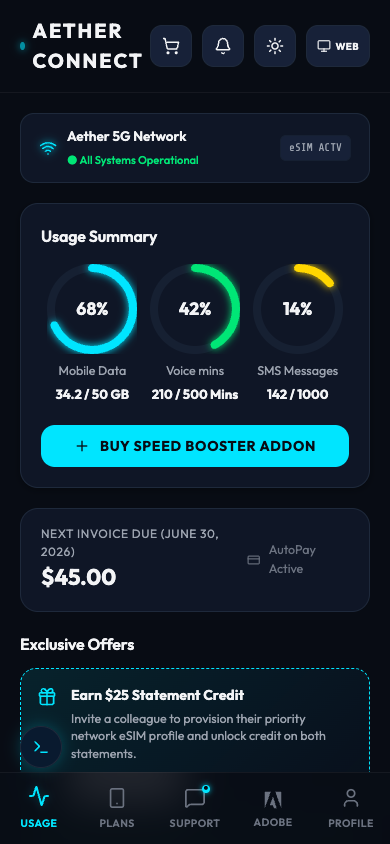
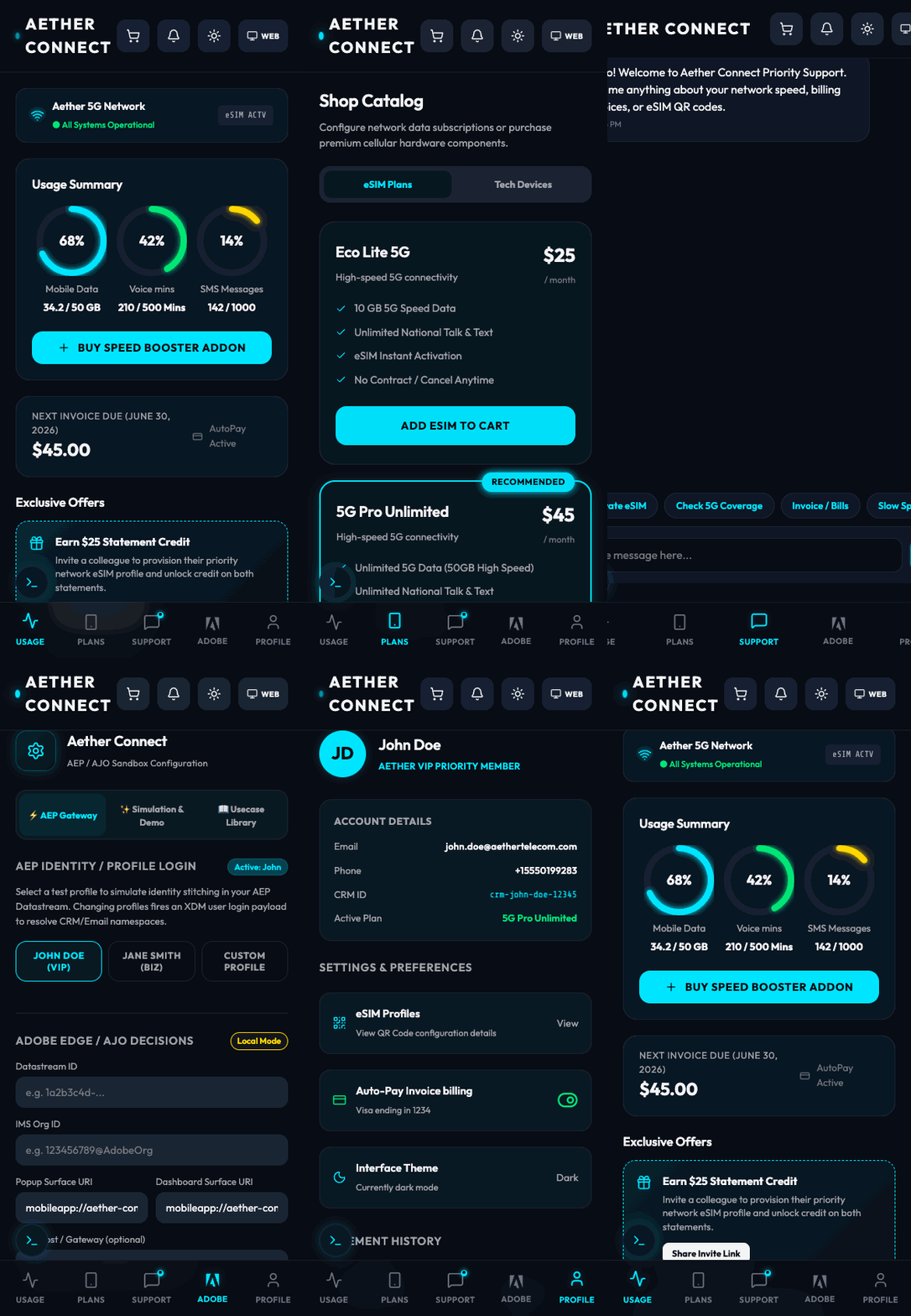
This is not a thin API harness. It is a full product-shaped sandbox that lets teams test Adobe behavior inside a believable mobile experience.
The app requests two distinct surfaces, one for a welcome popup and one for the home dashboard banner, so teams can validate multiple decision touchpoints in one run.
Even before a datastream is configured, the UI stays complete through seeded simulation offers, letting demos, QA, and UX reviews continue without blocking on setup.
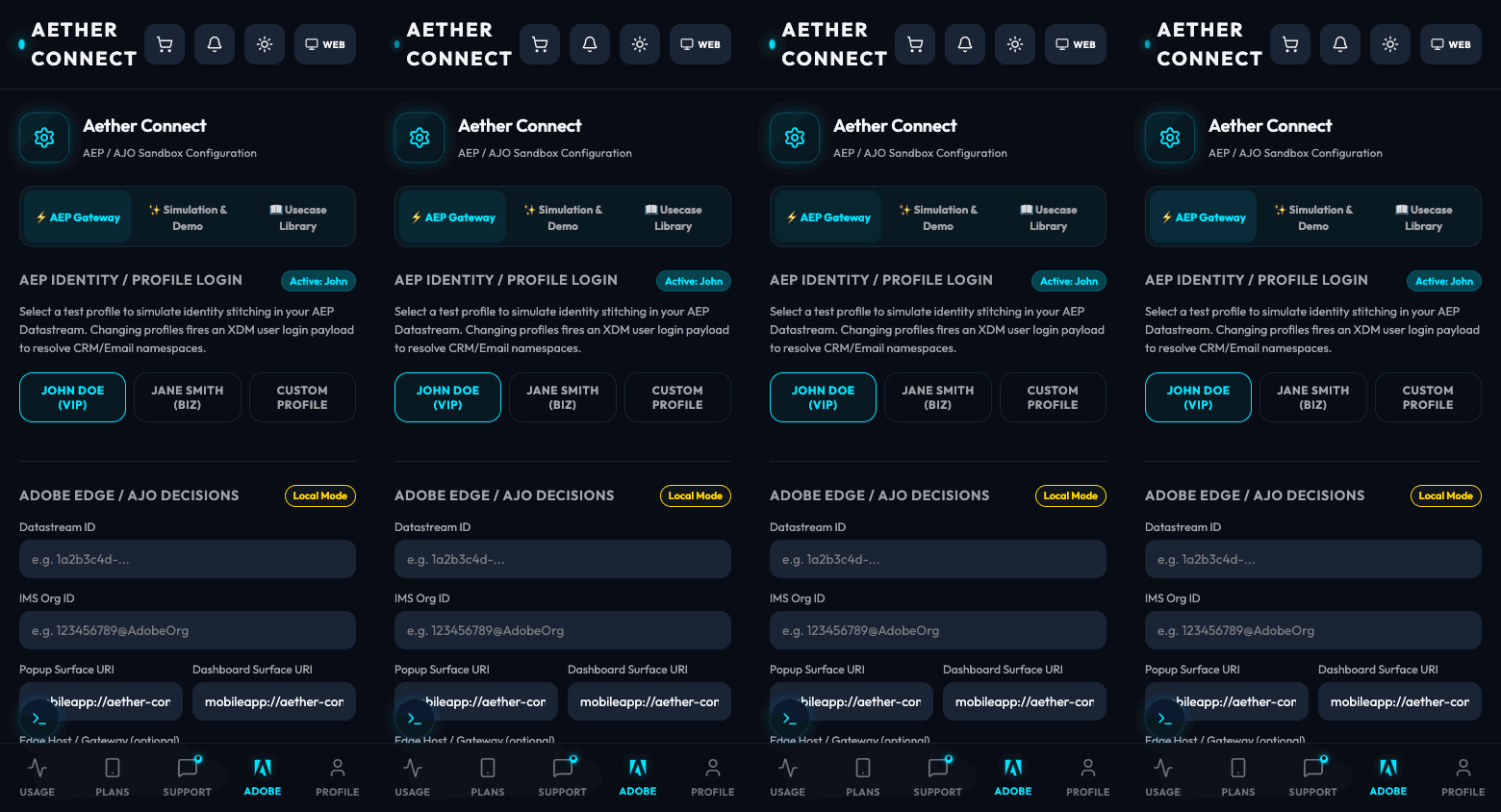
The Adobe tab can swap between named test users or a custom profile and automatically emit identity-oriented events for AEP testing.
The app recognizes validation session IDs from query strings and also includes an Assurance scanner flow to support trace-heavy testing sessions.
Teams can treat the app as an offline-friendly simulator or wire it to the real `alloy.js` path and Launch embed behavior when they want richer browser debugging.
Cart additions, purchases, identity login, and custom events are all part of the experience so XDM testing is not limited to a single happy-path event.
AJO-triggered push concepts are represented through a listener topic, in-app banners, notification history, and demo payload controls.
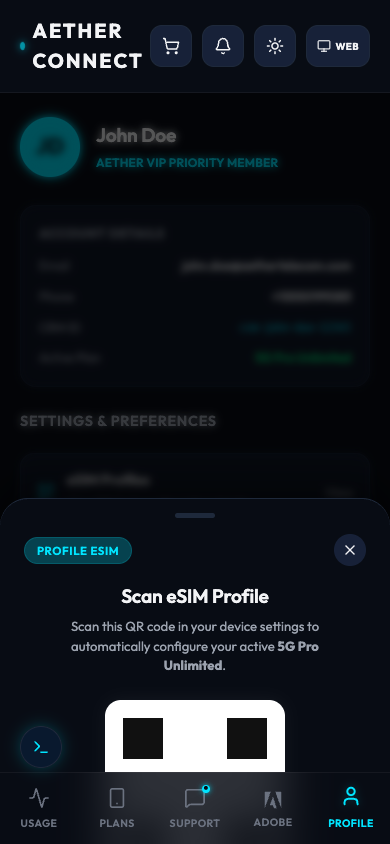
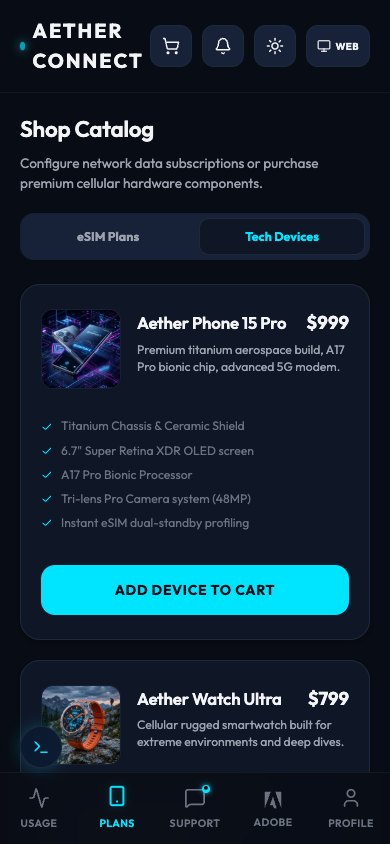
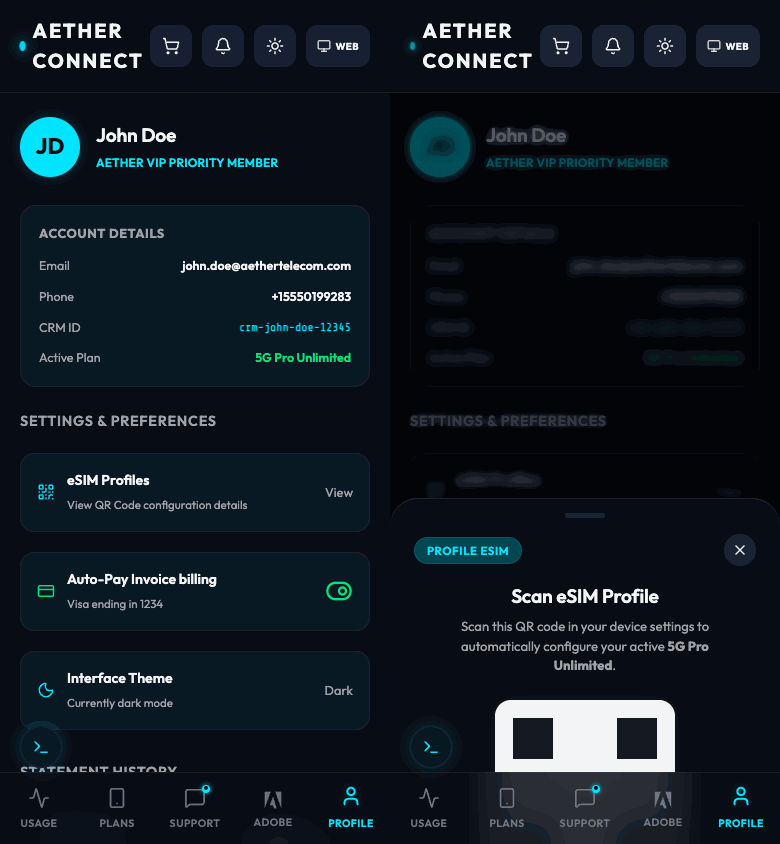
Usage meters, invoice state, eSIM provisioning, speed diagnostics, support chat, and device merchandising give the Adobe flows a believable product shell.
The catalog includes both subscription plans and devices, then routes them through cart review and simulated processing to create stronger commerce test coverage.
Teams can walk through data warnings, boosters, diagnostics, and cross-sell moments instead of showing Adobe features in isolation.
A built-in view toggle lets the project support mobile storytelling and broader operator walkthroughs without building a second demo app.
Because the repository is public, the project works well for internal enablement, portfolio proof, demo handoff, and self-guided experimentation.
These captures come from the running project so the page reflects the real interface, not a rewritten mockup.

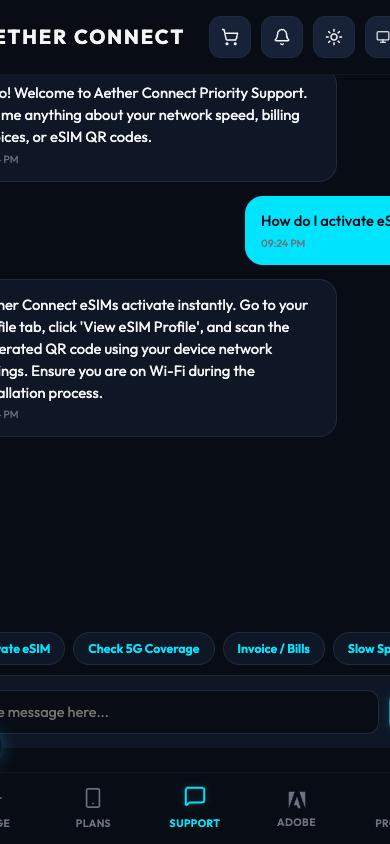
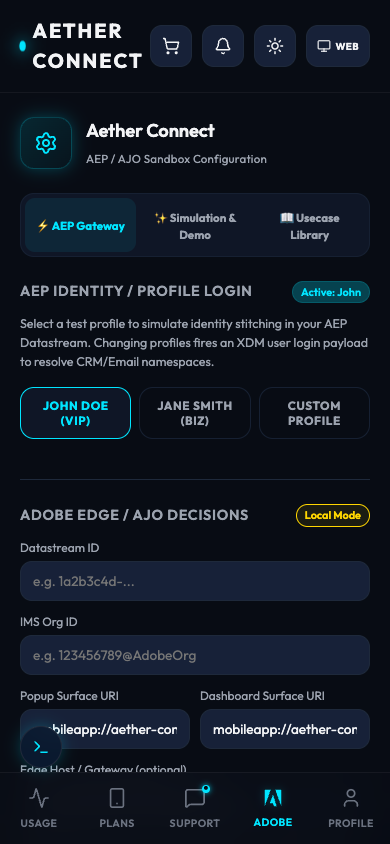
These are the fastest way to understand how the app behaves without pulling the repo locally first.
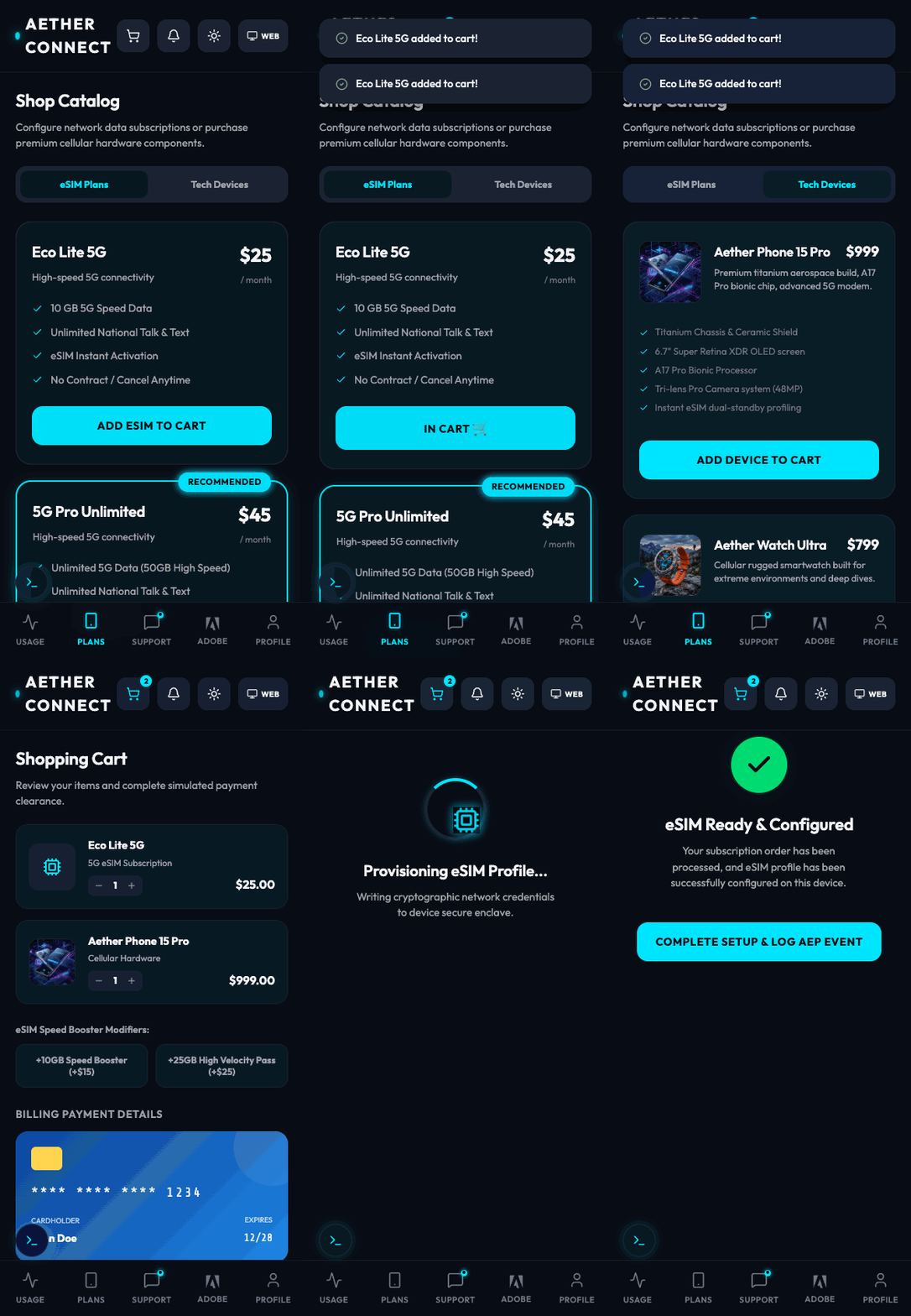
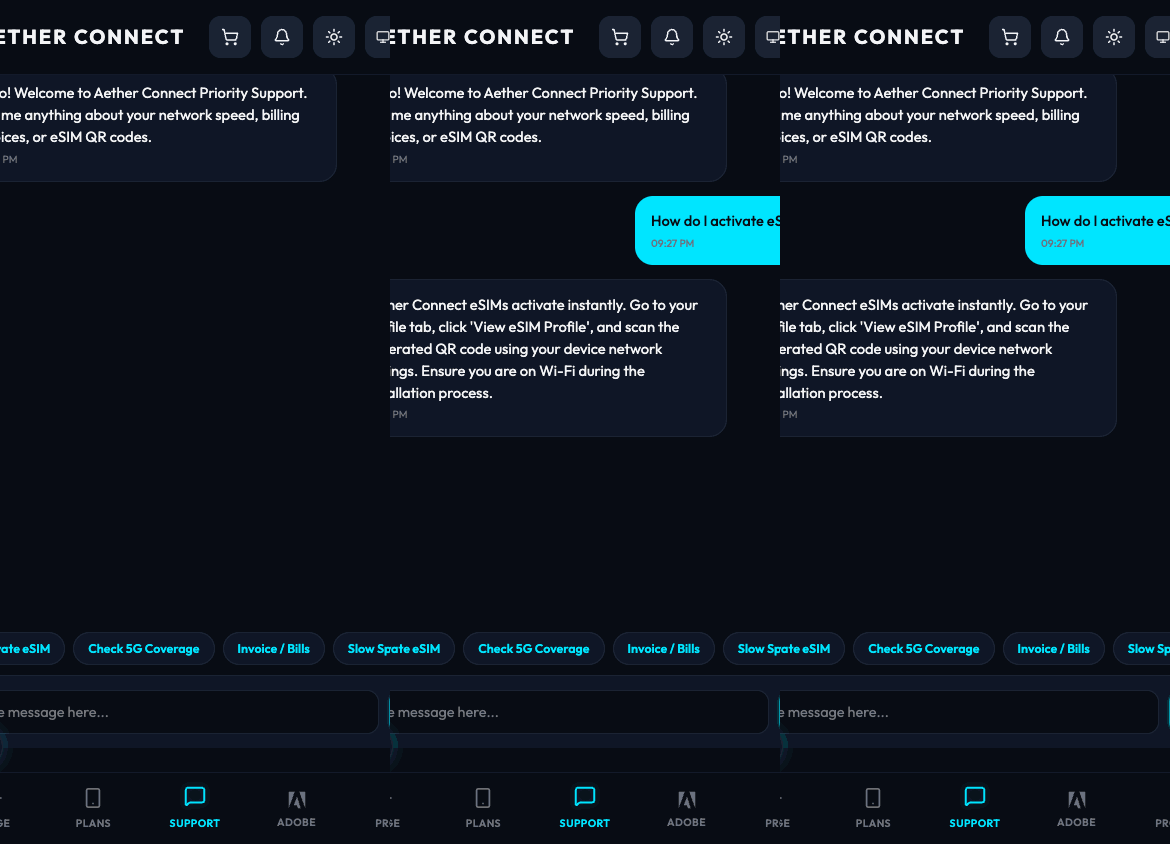
The utility is broader than one offer demo. This project can support teaching, troubleshooting, stakeholder storytelling, and reusable Adobe sandbox work.
Marketers, architects, and leaders can see surfaces, banners, fallbacks, and response behavior inside a realistic app instead of interpreting raw JSON.
The project is useful for checking whether decisions are arriving, whether credentials are correct, and whether a local proxy path is needed on Safari-like environments.
Because the app spans profile, support, Adobe controls, and transactions, it works well as a guided learning sandbox for cross-functional onboarding.
Session linking and QR scanning make it easier to stage repeatable walkthroughs for debugging, validation, and shared troubleshooting.
The project shows not only API knowledge but product thinking, information architecture, UX craft, and end-to-end scenario design.
The telecom framing can be adapted into other AEP/AJO demos, giving teams a reusable base for future decisioning experiments and training environments.
You can get value out of the app in two modes: as a simulation-first local sandbox or as a live Adobe-connected testing surface.
Clone the public repository, install dependencies, and start the Vite development server. The app is already useful in simulation mode before any Adobe credentials are added.
git clone https://github.com/kotisyamala/mobileAppAEPAJO.git
cd mobileAppAEPAJO
npm install
npm run dev -- --host 127.0.0.1 --port 4173Use the in-app Adobe control center to set the Datastream ID, IMS Org ID, popup surface, dashboard surface, and optional local Edge proxy host, then save and sync.
Popup surface: mobileapp://aether-connect/reload-popup
Dashboard surface: mobileapp://aether-connect/dashboard-bannerIf you prefer configuration through files instead of the UI, the project supports a standard Vite `.env` path for datastream, org, surfaces, and Edge host values.
VITE_AEP_DATASTREAM_ID="your_datastream_id_here"
VITE_AEP_ORG_ID="your_org_id_here"
VITE_AJO_SURFACE_POPUP="mobileapp://aether-connect/reload-popup"
VITE_AJO_SURFACE_DASHBOARD="mobileapp://aether-connect/dashboard-banner"
VITE_AEP_EDGE_HOST="https://edge.adobedc.net"Start with the welcome popup and dashboard banner, then validate identity switching, Support chat, cart purchase events, webhook notifications, and Assurance tracing.
1. Usage tab for popup and banner offers
2. Adobe tab for credentials, identity, and Assurance
3. Plans and Cart for commerce events
4. Profile tab for eSIM provisioning storyThe project is immediately demoable in simulation mode, which makes it a strong free sandbox even before a real Adobe environment is wired in.
Copied to clipboard.
Aether Connect is positioned here as a free public test app for anyone who wants a realistic Adobe Edge plus AJO Experience Decisioning playground without building the full UX shell from scratch. It is strong for personal learning, internal demos, architecture walkthroughs, QA rehearsals, and portfolio storytelling.