 Binary Cipher
Read the orientation doc.
Understand what current Experience Decisioning is, where it runs, and why it is different from legacy Decision Management.
10 min
Beginner

This page curates the strongest official Adobe materials for new learners: the learning path, beginner videos, courses, reference docs, Summit-style materials, implementation links, and a lightweight cheat sheet for quick revision. It starts with the current Decisioning model, not legacy Decision Management.
This is the fastest possible path for a new learner. Do these first before touching the longer resource lists.
Understand what current Experience Decisioning is, where it runs, and why it is different from legacy Decision Management.
See the pieces connect once end to end so the rest of the page feels like one system instead of a pile of references.
Pick web offers or email decisioning so the model becomes concrete before you branch into role-specific materials.
Use the cheat sheet if you want a quick artifact, or copy the 15-minute plan if you want to save it in notes, Teams, or a learning tracker.
Copied to clipboard.
The goal is not to finish every link. The goal is to leave with a stable mental model and one confident next action.
You should be able to explain, in plain English, how data, policy, ranking, and offer delivery fit together.
You should know whether your next best resource is marketer training, admin setup, or developer integration material.
You should be able to point to one activation route, like web offers or email, and say how Decisioning would work there.
This is now a guided operator path: one animated workflow that takes a new learner from orientation into hands-on activation without losing the thread between concepts, channels, and implementation.
Each card reveals in sequence, keeps one clear action, and maps to the fastest next learning move so new learners can follow one confident path instead of hopping between disconnected Adobe pages.
Start with Adobe’s current Experience Decisioning orientation so you learn the modern object model first and avoid getting anchored to legacy Decision Management content.
Use Adobe’s short introduction video to lock in the meaning of decision policies, offers, and ranking before you try to learn channels or APIs.
This walkthrough is the anchor asset for the whole page. It shows how the decisioning parts connect in a usable product flow instead of as separate docs.
Choose either web personalization or email decisioning so the model becomes concrete. One practical tutorial is better than five reference pages at this stage.
After one practical path, branch into marketer, admin, or data training so you build the operational prerequisites around decisioning instead of learning them in the abstract.
Only after the basics are stable should you move into selection strategies, AEP-backed data, guardrails, and blueprint-level implementation references.
Use this simple scenario to make the concept concrete before you dive back into the resource links.
A returning profile qualifies for a web experience based on profile attributes and recent behavior.
The decision policy determines which collections and eligibility rules are allowed for this moment.
A ranking strategy chooses the best proposition using priority, formulas, or AI-assisted ranking.
The offer appears on web, email, push, or SMS as the next best experience for that context.
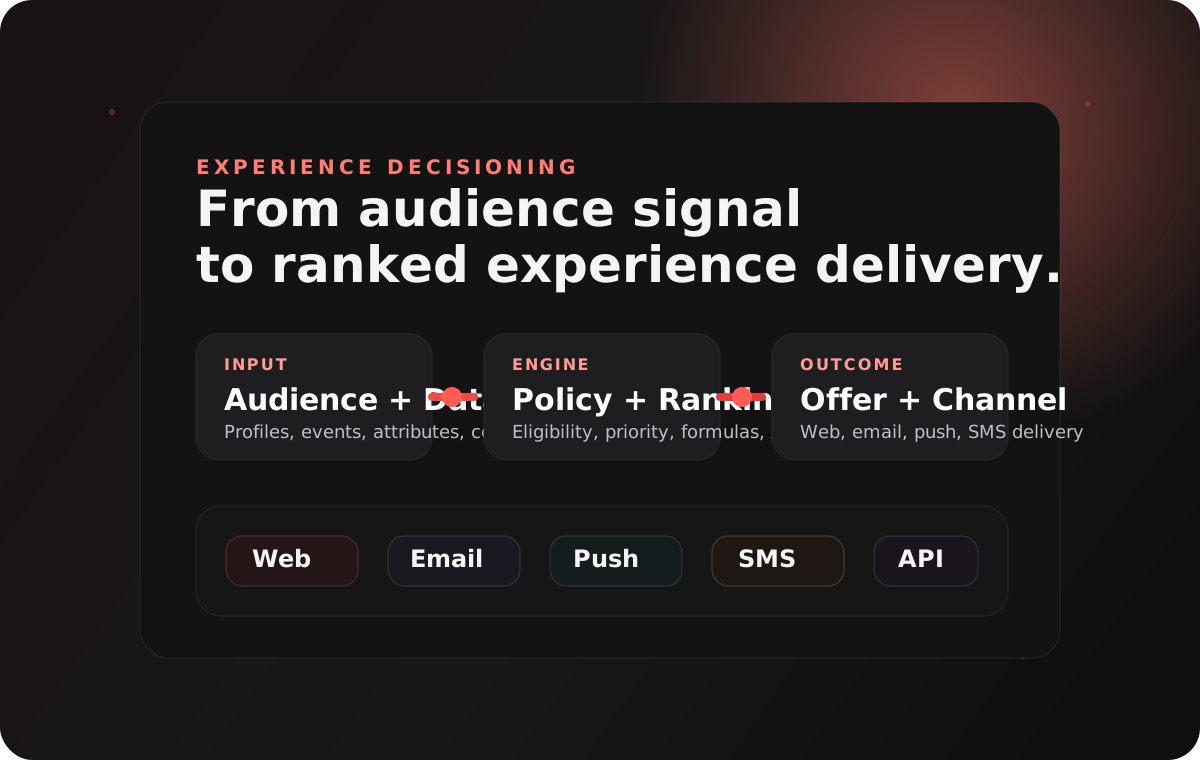
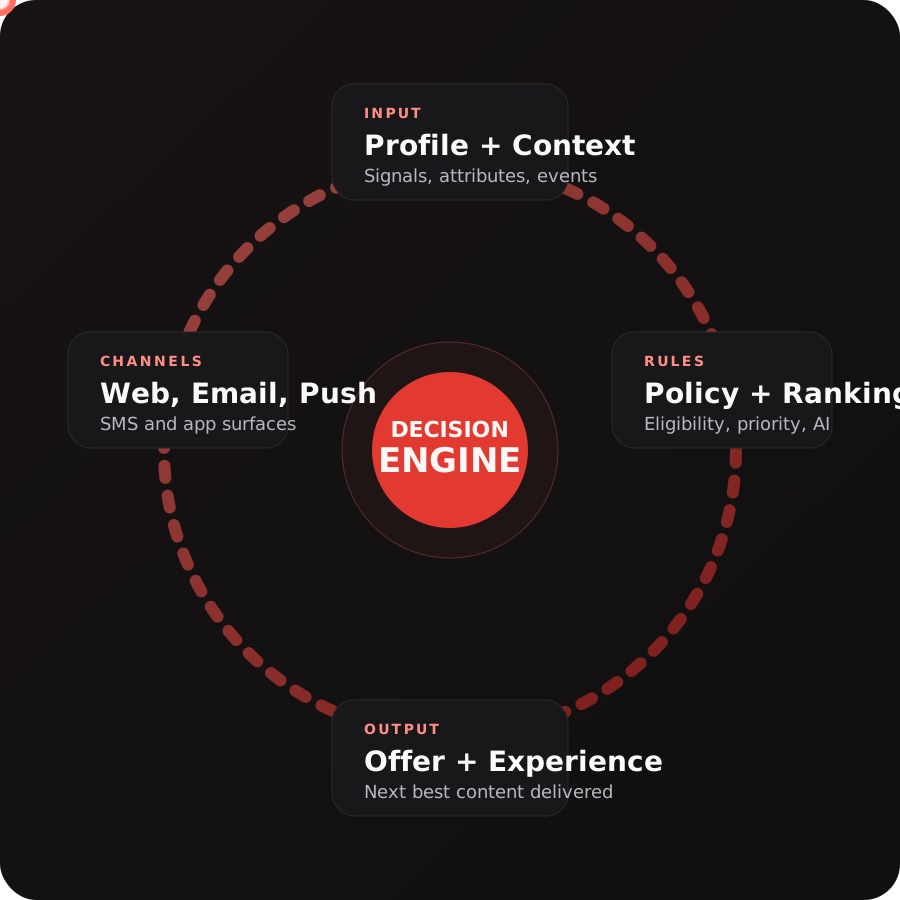
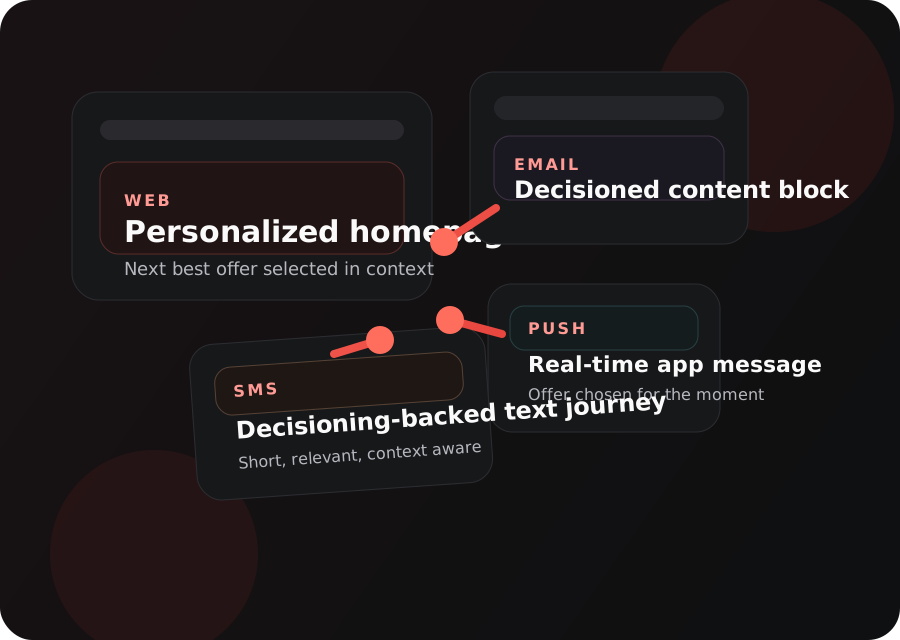
These images make the topic easier to absorb quickly: one system-level picture, one looping flow, and one channel map that shows where the decisions actually surface.
The visuals on this page are designed to make the mental model stick: context comes from profile and audience data, policies shape the response, ranking chooses the proposition, and the experience lands in the channel a learner is already working in.
Pick the role that best matches you. The cards below will simplify automatically so you see the most relevant materials first.
These are the first resources a new learner should touch. If someone only has one study session, start here.
The best official orientation page for what the feature is, where it works, and what to learn next.
Introduction to DecisioningThe short beginner video that gives the vocabulary and product framing before you go deeper.
Decisioning end-to-end walkthroughThe strongest single walkthrough for seeing the feature in action before branching into channel-specific tutorials.
Use Decisioning to personalize web offersA practical tutorial that turns the concept into a real scenario with audience logic and dynamic offer selection.
The cleanest structured Adobe learning path for newcomers who need a broader AJO frame around Decisioning.
Configure and administer Adobe Journey OptimizerThe best admin prerequisite course for roles handling access, sandboxes, channels, and operational setup.
Engineer Data for Intelligent Journey ActivationThe strongest data prerequisite course for learners who need profiles, datasets, and identity to make decisioning usable.
Journey Optimizer challengesAdobe's practice track for learners who want to test what they understand after the basics are done.
Adobe Journey Optimizer Certification OverviewThe route into certification details and Adobe technical training once the learner is ready for formal study.
The clearest Adobe page for understanding the split between current Decisioning and legacy Decision Management.
Decision policiesBest page for the object that most learners get stuck on: how offers are selected and returned in messages and experiences.
Create selection strategiesThe best Adobe reference for priority scores, formula ranking, and AI ranking in one place.
Use Adobe Experience Platform data for DecisioningThe key advanced doc for dataset lookups, dynamic inventory, pricing, and external data in ranking logic.
Decisioning guardrails and limitationsThe practical limit page for requests, items, policies, collections, rules, and formulas.
Offer Decisioning blueprintA stronger architecture-style page that explains the execution flow from audience evaluation through reporting.
A strong branch for marketers who will start with channel use cases instead of web personalization.
Optimize Push Notifications with AJO DecisioningGood channel-specific tutorial for learners working in mobile engagement flows.
Use Decisioning in an SMS messageChannel-specific tutorial for teams using AJO to personalize SMS communications.
Use AEM Content Fragments with Journey Optimizer DecisioningUseful for teams already operating in AEM and wanting a stronger content-to-decisioning workflow.
AI-Powered Decisioning for Web ExperiencesAn Adobe Summit 2026 lab turned into a guided tutorial, and one of the best scenario-driven assets for this topic.
Enhancing Experiences with Adobe Journey OptimizerThe Adobe Summit 2025 short-clip playlist that includes the AI-powered decisioning segment.
Intelligent decisioning at every touchpointAn Adobe guide and business-facing document that works as a concise explainer or shareable leave-behind.
Intelligent Personalization with Offer DecisioningAn older Adobe webinar with more legacy wording, but still useful for conceptual grounding. This one is gated.
AJO Roadmap and InnovationsStrong broad product session for understanding where decisioning fits into Adobe's current product direction.
How T-Mobile Personalizes Customer Experiences with AI DecisioningA strong real-world session around ranking, experimentation, governance, and organizational tradeoffs.
The top-level API entry point for journeys, campaigns, content, and other Journey Optimizer resources.
Offer Decisioning and Target ExtensionThe best mobile setup reference when teams need edge decisioning plus app-side proposition delivery.
Offer Decisioning and Target API referenceThe technical reference for proposition retrieval, caching, and update flows in the mobile SDK path.
Personalization using Offer DecisioningThe useful web and Edge Network reference for teams implementing decisioning-backed personalization requests.
These are the terms most likely to slow a new learner down. Keep this close while you go through the docs.
The object that controls which propositions can be evaluated and returned in a given experience.
The ranking logic that decides how eligible items are prioritized, scored, or ordered.
The proposition or content item that can be returned to the channel once the policy and ranking are resolved.
The rule layer that decides whether a proposition can be considered for the current profile and context.
The scoring or prioritization process that chooses the best result from the eligible set.
Profile, event, and dataset context from Adobe Experience Platform that can shape decisions and dynamic content selection.
These are the places where new learners typically lose momentum. Use these simplifications first, then return to the full docs.
Start with current Experience Decisioning unless your organization explicitly still operates on the older Decision Management model.
Policy determines what can be considered. Strategy determines how the eligible options are ranked.
The decisioning engine is the same mental model. Only the delivery surface changes across web, email, push, and SMS.
Adobe still publishes Decision Management materials, but new learners should start with current Decisioning first. Only send someone into the legacy path if their organization still uses Decision Management and needs that older operating model.